
Log what you lift.
Watch it add up.
The fastest, cleanest way to record what you lift. No routines to follow, no fluff — you log your sets, the app keeps the history, the records and the trends.
Log. See progress. Organize.
- 01
Log sets in one tap
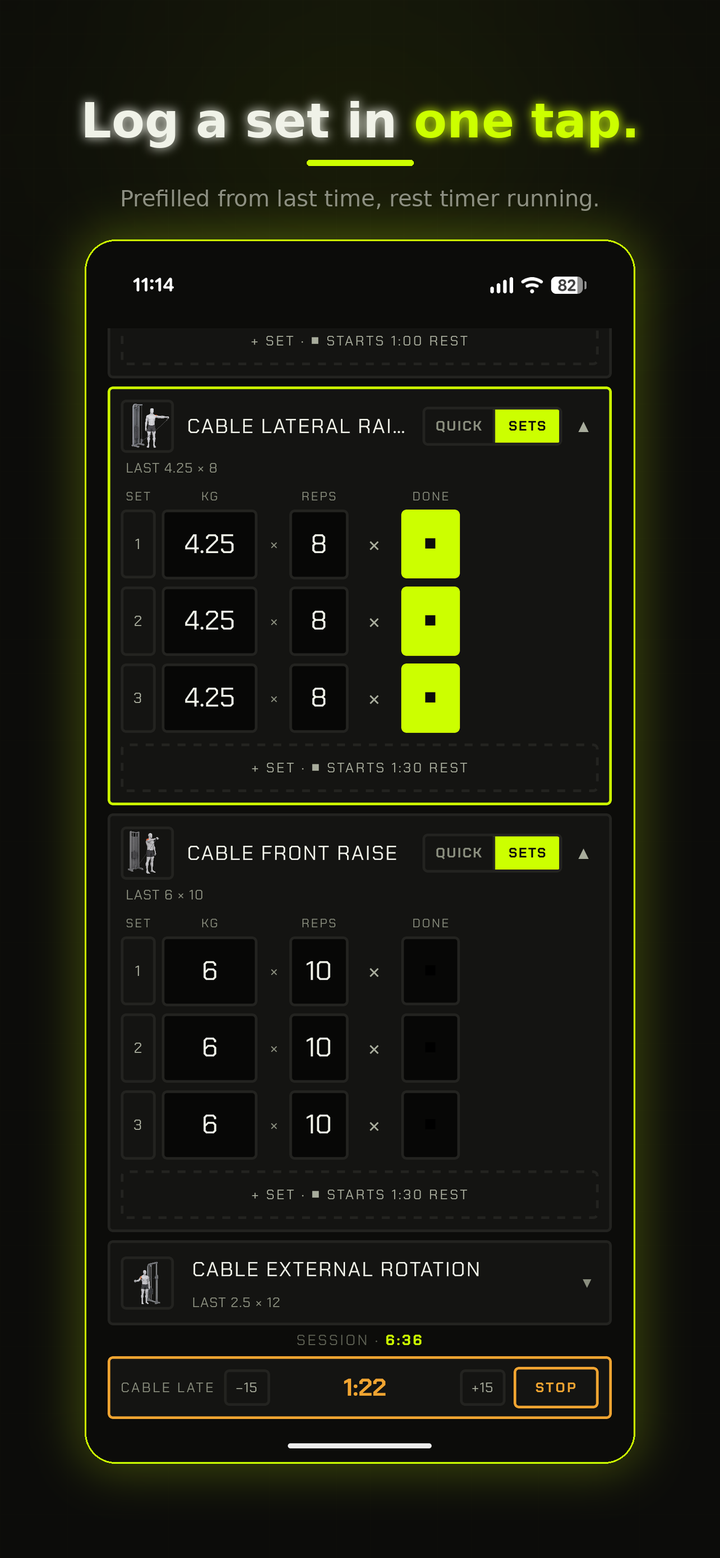
Weight and reps, with your last and best always in view — so you always know what to beat. Tap to confirm and move on.
- 02
600+ exercises, illustrated
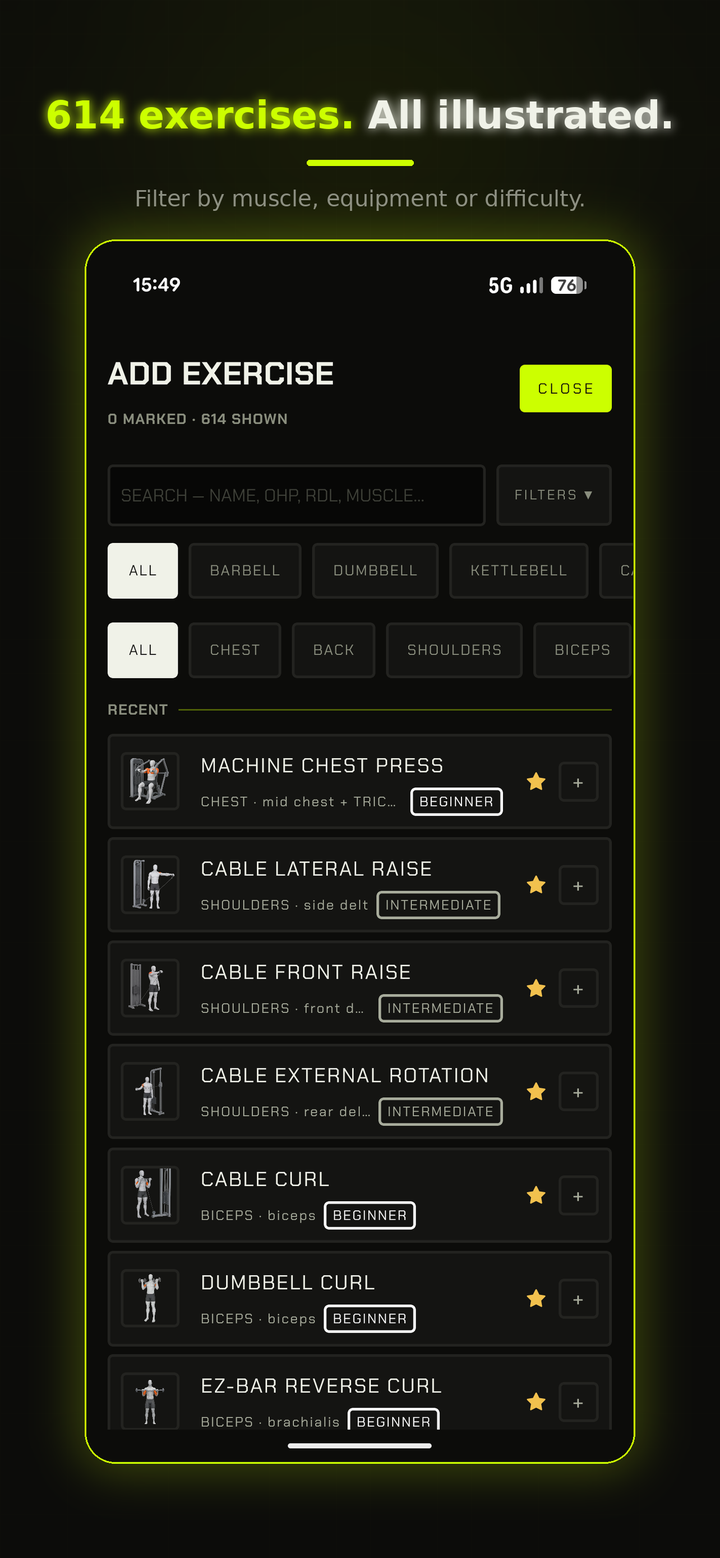
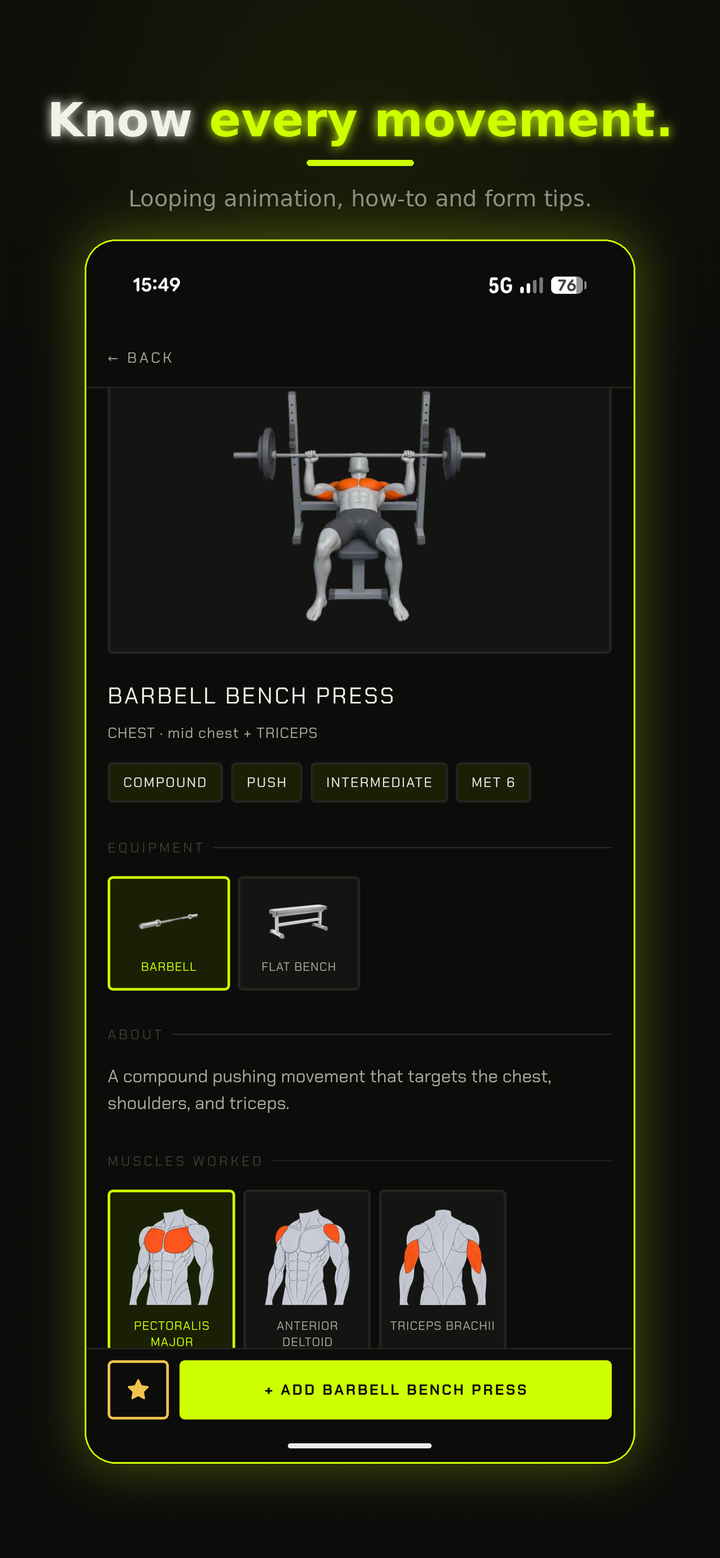
Every one illustrated with the target muscle highlighted, and nearly 500 have a looping animation so you can see the movement. Filter by muscle or equipment — barbell, dumbbell, kettlebell, cable, machine, bands, bodyweight — and add several at once.
- 03
Repeat a session
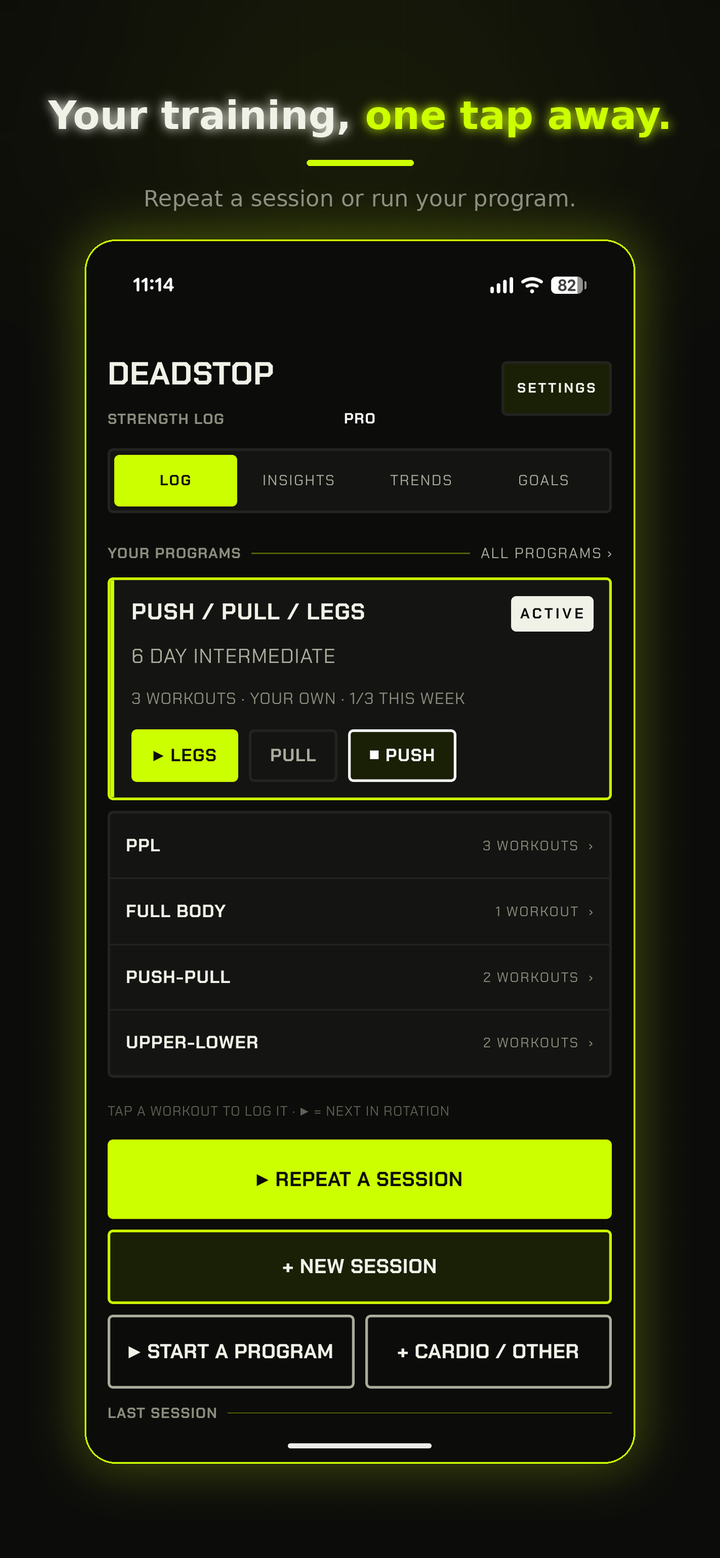
Bring back a recent workout with everything prefilled, then just log what you did today.
- 04
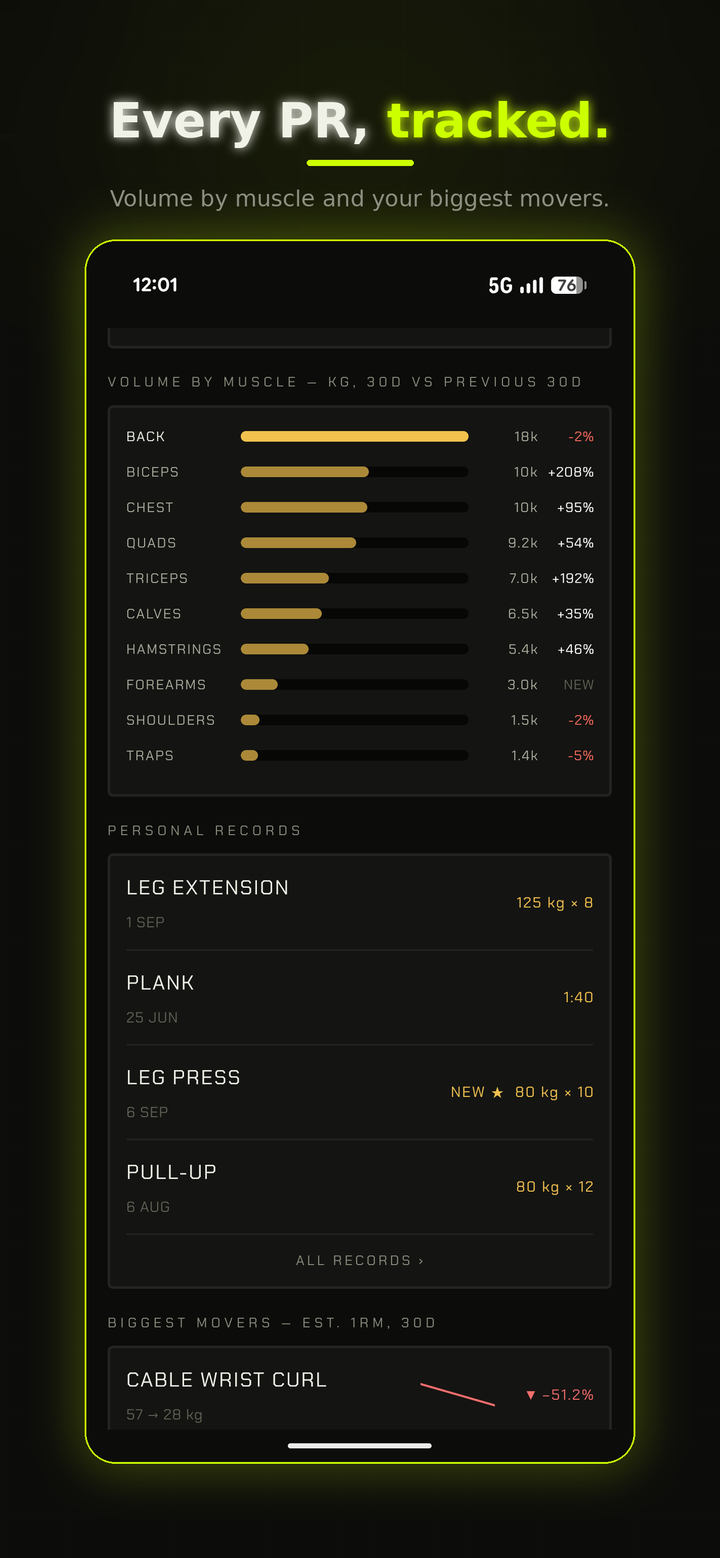
Personal records
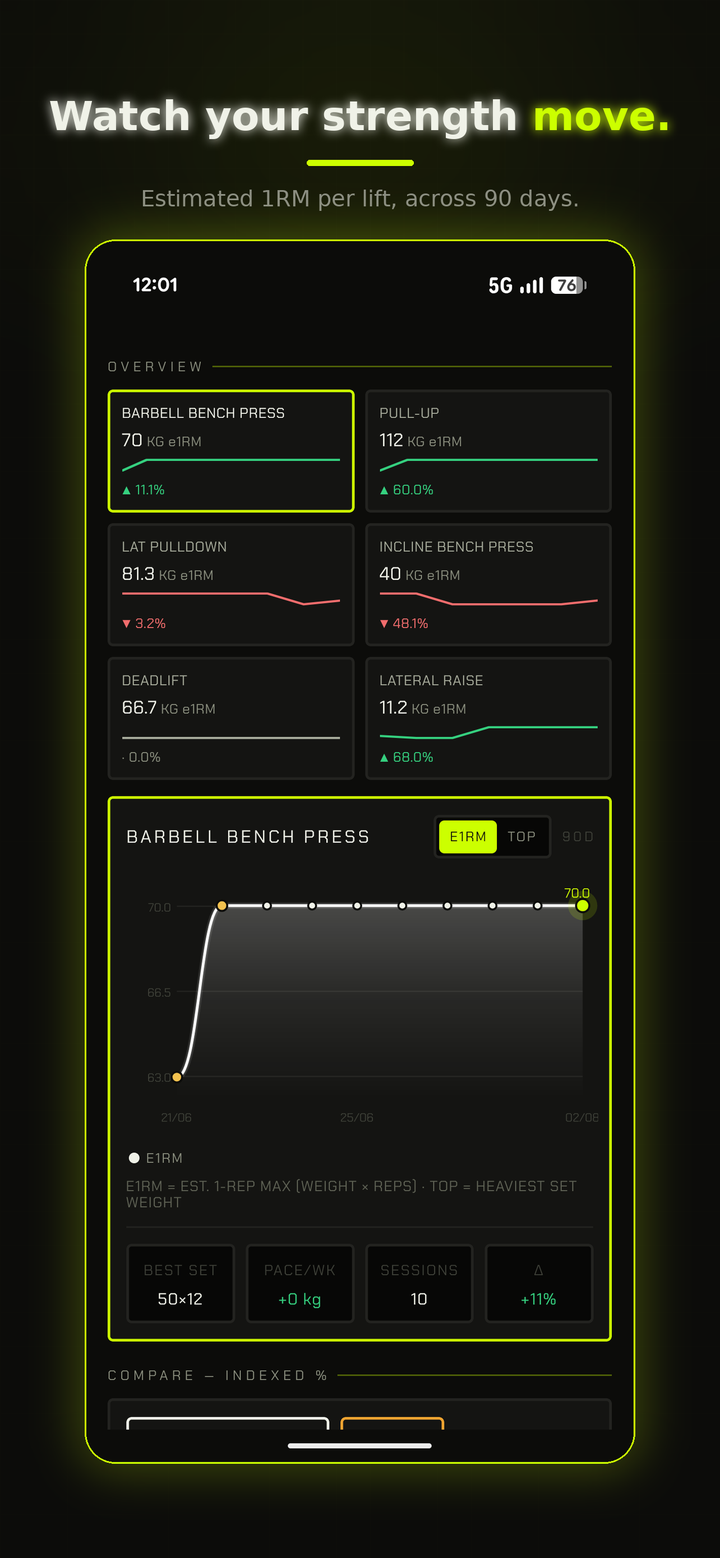
Your best weights and best reps at each weight, tracked per exercise, with progress charts.
- 05
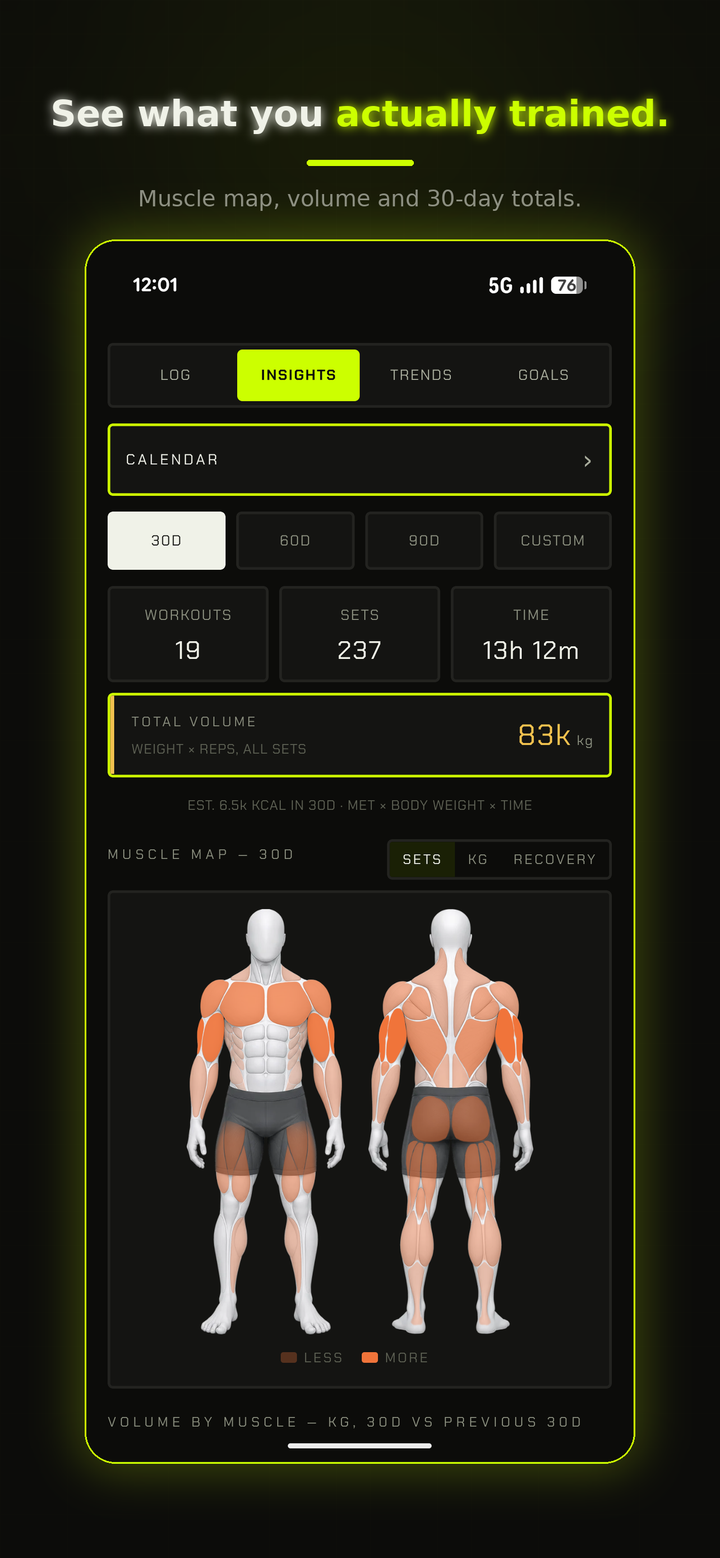
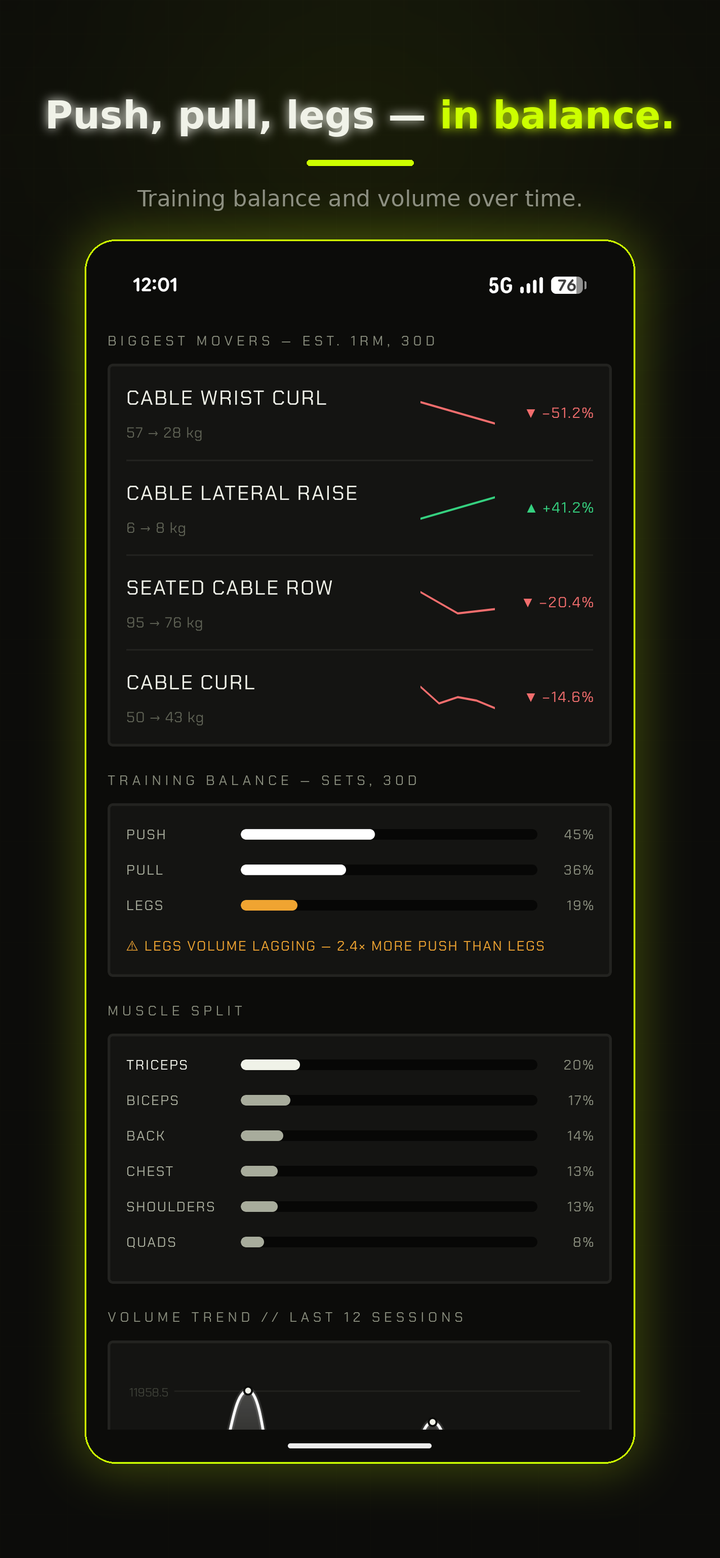
Volume & trends
Total volume, muscle split and volume trend at a glance. Every session summarized — sets, volume, and any PRs you hit.
- 06
Calendar heatmap
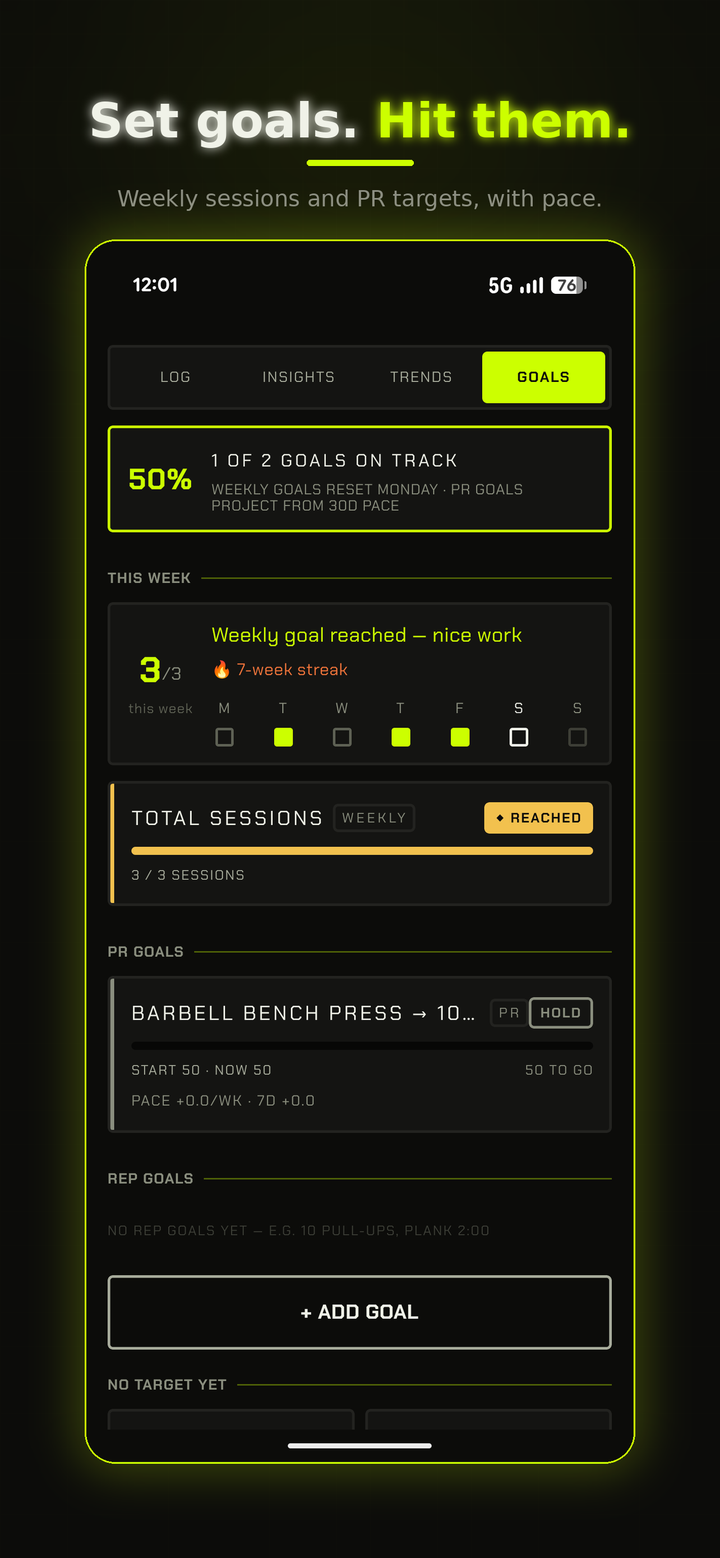
Training intensity and streaks mapped out, so consistency is something you can actually see.
- 07
Custom plans
Build your own — Push/Pull/Legs or whatever fits. Mark one ACTIVE and NEXT UP shows the next workout to start in one tap.
- 08
Your app, your look
English, Swedish, German, Spanish and French. Multiple themes, from the signature VOLT lime to calm neutrals and classic light & dark. Metric or imperial. Gym reminders on the days you choose.
- 09
No ads, no tracking
No analytics, ever. An account keeps your training synced across devices and safe if you lose your phone. Delete it all anytime from the app.
Prefer to just log and go? Skip these.
But when you do train inside the app, they're here.
-
Warm-up sets
Weights calculated for you, laddering up to your working set.
-
Lock-proof rest timer
Keeps running when your phone is locked. Set a custom rest time per exercise.
-
Pause anytime
Step away and the break isn't counted as training time.
-
Mid-session edits
Swap, add or remove exercises — save to your plan or keep it to today.
-
Favorites
Star the exercises you use most so they're always at the top.
Log. Progress. Repeat.
Record every set, watch the numbers climb, and see your consistency take shape — all in the signature VOLT look.
Exercise illustrations and animations by RepDB.
Try it free. Go Pro once.
Enough to try the app
- 1 plan
- 1 workout
- 10 exercises
- Full logging, records & charts
Everything, unlocked
- Unlimited plans
- Unlimited workouts
- Unlimited exercises
- All 15 ready-made programs
One-time purchase — no subscriptions ever.
Common questions
Do I need to follow a routine?
No. DEADSTOP has no routines to follow and no fluff. You log your sets, the app keeps the history, the records and the trends. Plans are entirely optional if you want structure.
What are the in-session tools?
Optional extras for when you train inside the app: warm-up sets with weights calculated for you, a rest timer that keeps running when your phone is locked, pause when you step away, and mid-session swap/add/remove of exercises. Prefer to just log and go? Skip them entirely.
Do I need an account?
Yes. An account is required so your training syncs across devices and survives a lost phone. No ads, no tracking, no analytics. Delete your account and all your data anytime from within the app.
iOS or Android?
Both. Same feature set on both platforms.
What languages does it support?
The whole app is in English, Swedish, German, Spanish and French. Exercise names and exercise cards stay in English – the names you’ll hear in the gym and see in programs.
How much does it cost?
Free gives you 1 plan, 1 workout, and 10 exercises — enough to try the app. Pro unlocks unlimited plans, workouts and exercises, plus all 15 ready-made programs. One-time purchase, no subscriptions ever.